Your Unless AI can be used in a number of ways and places whether it be on your website aimed at visitors, in your product to help guide users, or in your ticketing system to assist your customer support team.
Additionally, you can have quick access to this AI you've trained, at all times, by installing the Unless team assistant. That way the AI will only be a click away, ready to help with any questions.
Installing the extension
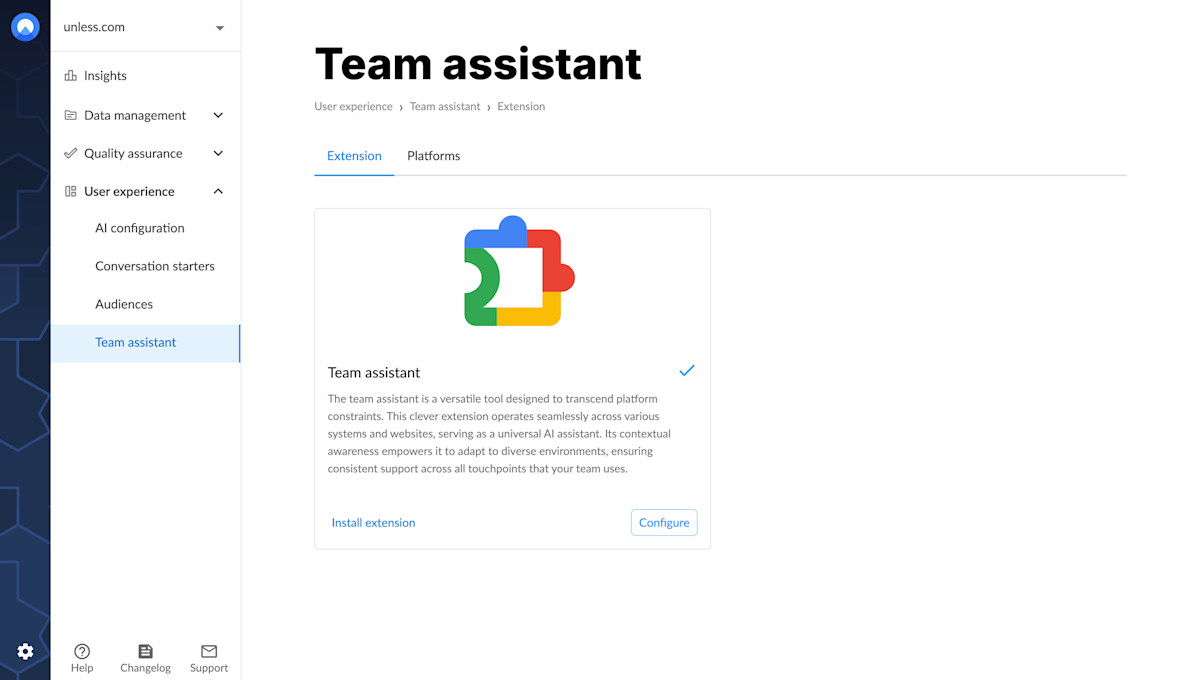
While at the team assistant tab of your Unless account, you can simply click Install extension which will take you to the Chrome store where you can click Add to Chrome.
Tip: Pinning the extension to always be in view will make it quicker to access whenever you need.
Authorizing the browser extension
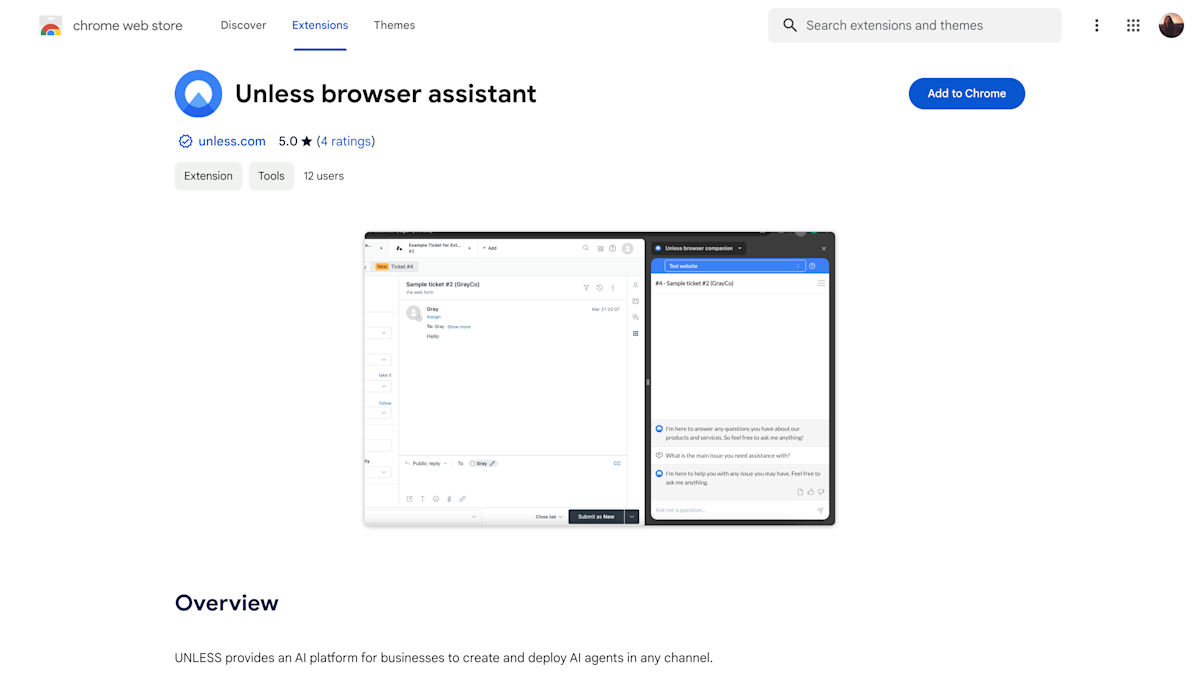
Once you've added the extension to your browser and clicked to view it, you will see it open as a side-bar and it will ask that you Authorize it. This will bring you to the Unless dashboard where you can give the extension permission to access your environments.
Note: Authorizing the extension requires the user to have an Unless account. You can add your team members via the Team section, with the Team assistant only user role.
Configuring your team assistant settings
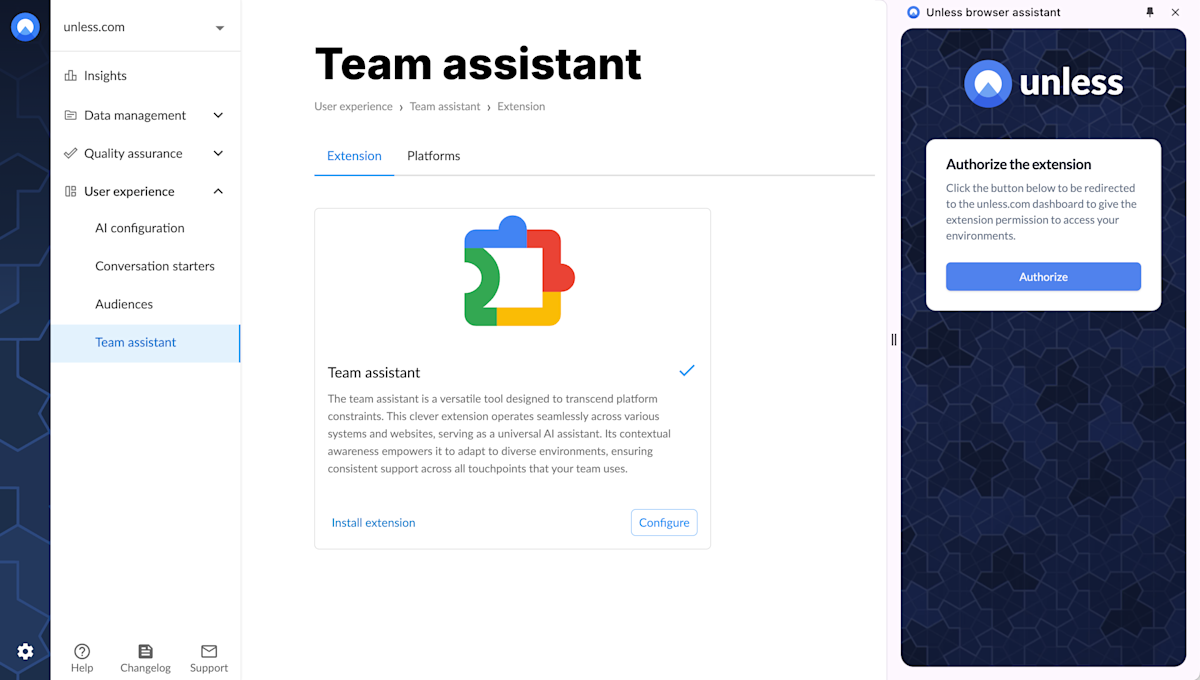
You can start by defining your default environment and default language. You can then add a logo to match your company branding, for users to see in the team assistant. Additionally, you can choose to add a starting message and a placeholder.
Configuring the extension with your platform
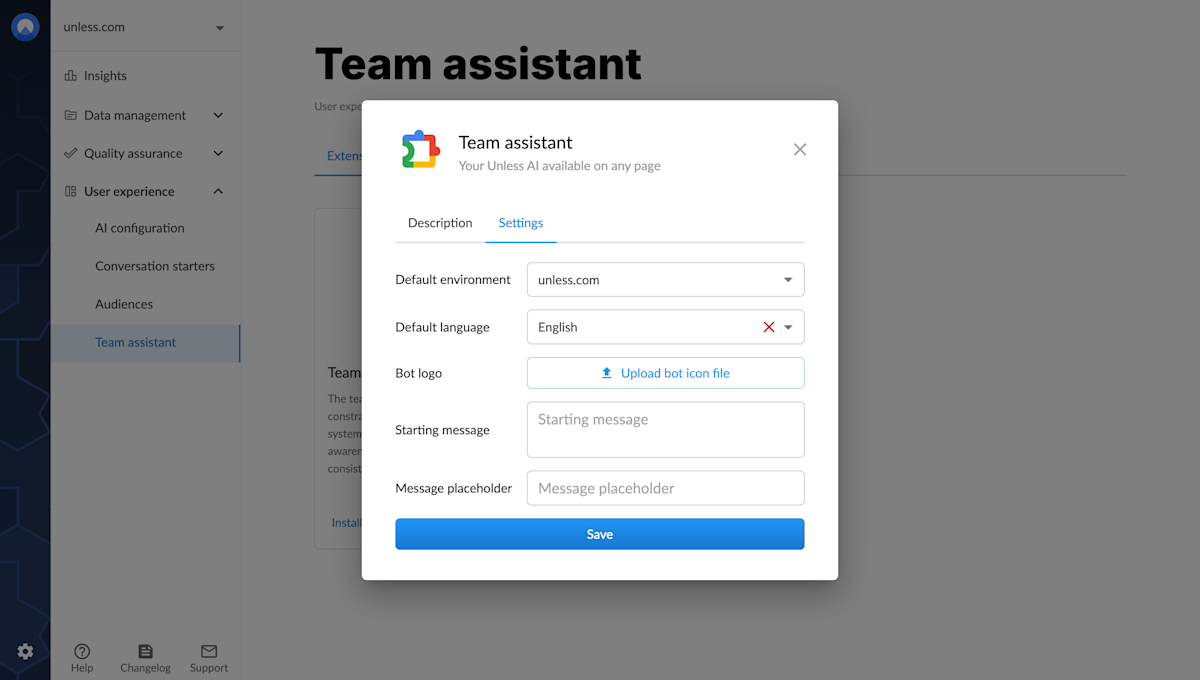
In order to use the team assistant to answer support tickets, you will have to configure it with your platform of choice. Currently Hubspot, Zendesk, and Freshdesk are listed as platform options but you can contact our team to request a connection to a different ticket system as well.
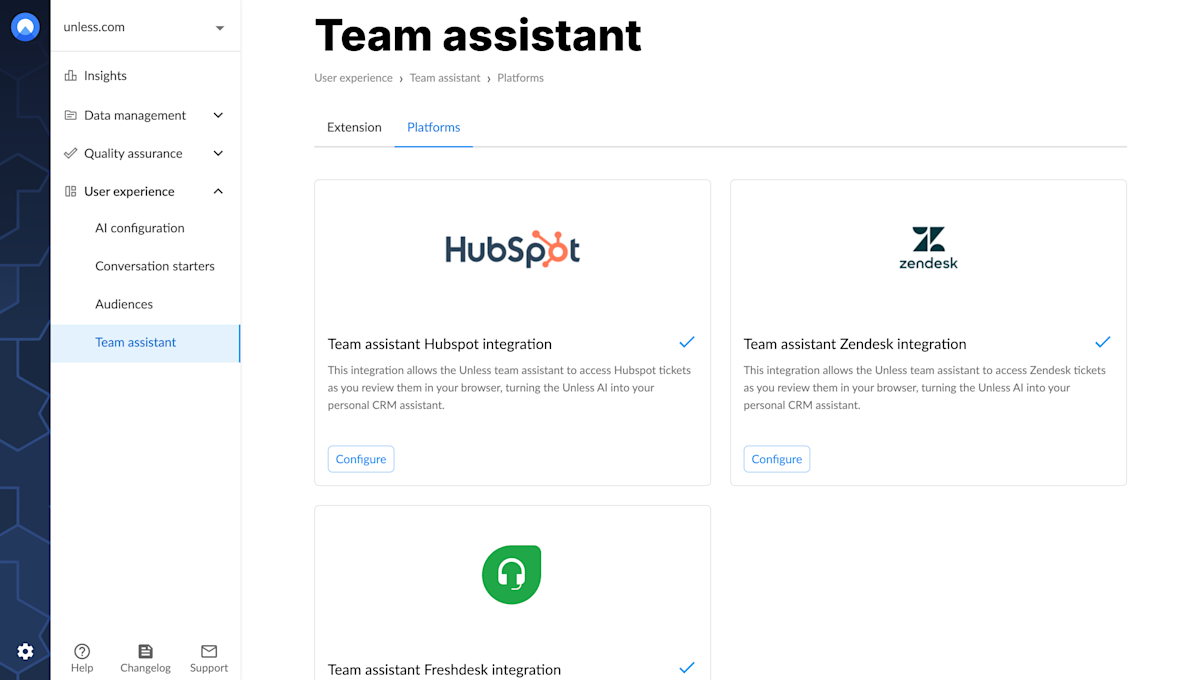
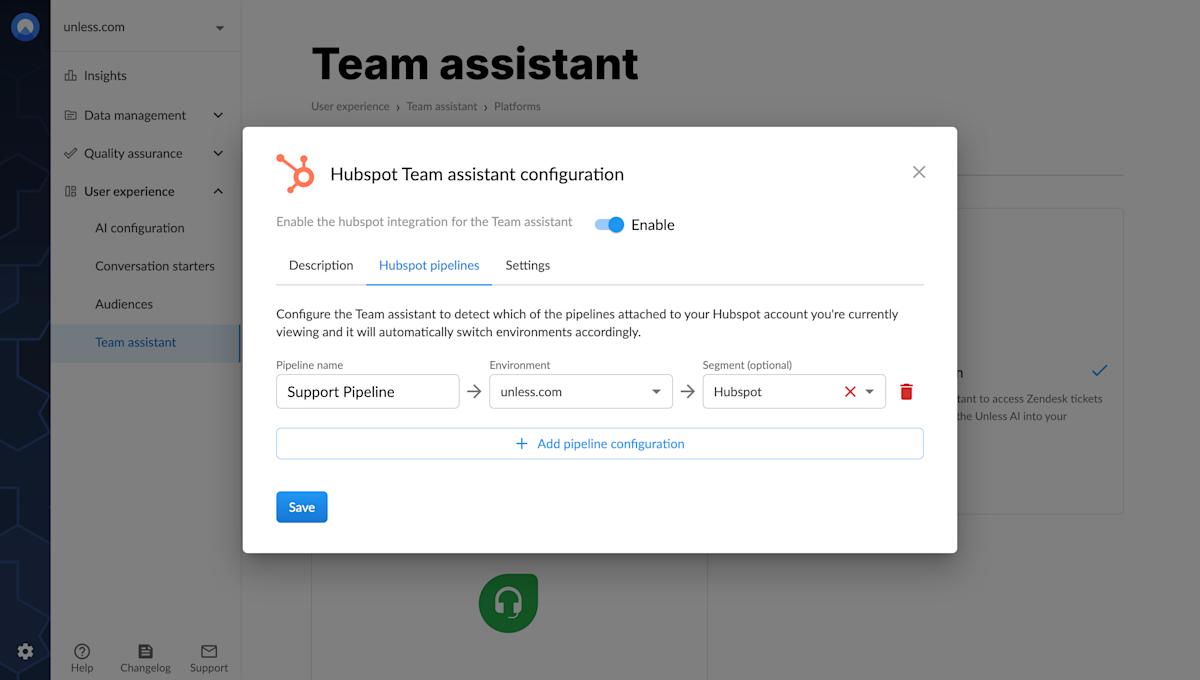
Once you click, you will see a pop-up appear where you can navigate to the second tab (Hubspot pipelines or Zendesk brands) where you can configure which pipelines/brands are connected to which environments and (optionally) segments. (This doesn't apply to Freshdesk.)
This way the team assistant can detect which of the pipelines/brands attached to your Hubspot/Zendesk account you're currently viewing and it will automatically switch environments accordingly. You can then click save and enable!
You are ready to use the Unless team assistant within your ticketing software of choice!
Using the team assistant
You can then head over to your ticketing software, open up a ticket, and click on the Unless team assistant. The tickets will get detected automatically and a response will be generated by the AI. The conversation name will update to the ticket ID. You can also create a note for internal use with your colleagues.
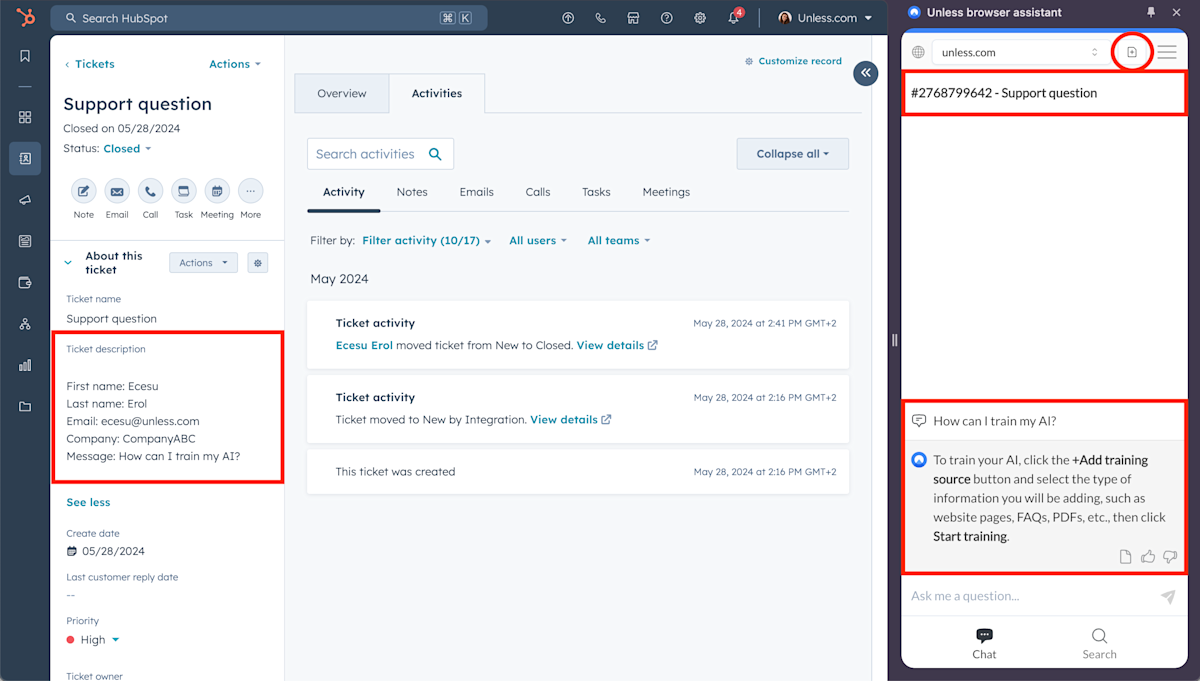
Ps. If there is a segment defined on the panel on the left, the AI will pick up on that as well and respond accordingly.
Finding related content
In addition to using the answers provided by the AI, you can look for content related to a ticket. This can include sources like your website or knowledge base which you can use in your responses or that you refer your customers to for more information.
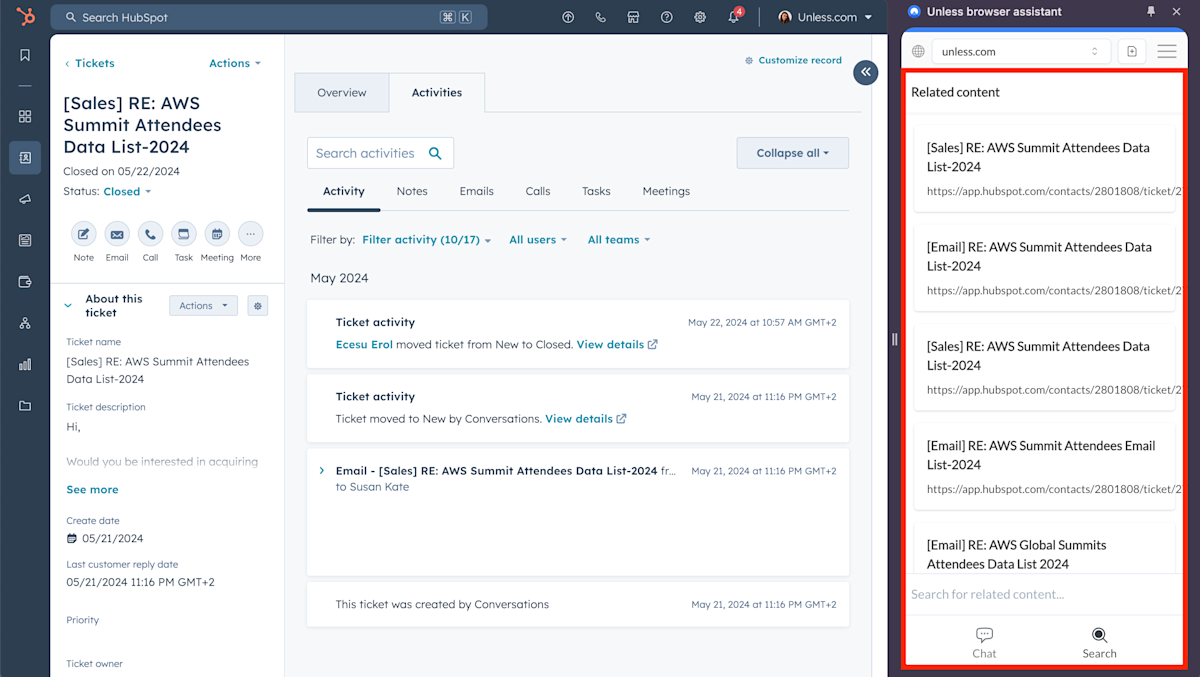
The search tab will also provide you with similar tickets. While these are not good sources for the AI directly, it can help to refer back to how a similar question was answered in the past. Maybe that answer is outdated or maybe someone had taken the time to write a response to a similar question which you can now reuse in your response, saving you the extra time and effort!